<?xml version="1.0" encoding="UTF-8"?>
<?xml-stylesheet type="text/xsl" href="/assets/atom.xsl"?>
<feed xmlns="http://www.w3.org/2005/Atom">
  <id>https://blog.ihtw.moe/</id>
  <title>Ran&apos;s Blog</title>
  <updated>2026-07-29T02:13:59.563+00:00[UTC]</updated>
  <description>旋律的个人博客，记录旋律的折腾日常(●ˇ∀ˇ●)。内容涵盖 Windows、OpenWrt、OPNsense、Proxmox VE、安卓刷机等各种瞎折腾经验分享。</description>
  <author>
    <name>旋律</name>
    <email>me@ihtw.moe</email>
    <uri>https://github.com/JohnsonRan</uri>
  </author>
  <link href="https://blog.ihtw.moe/atom.xml" rel="self"></link>
  <link href="https://blog.ihtw.moe/" rel="alternate"></link>
  <language>zh-CN</language>
  <generator uri="https://github.com/L33Z22L11/blog-v3" version="3.7.1">Clarity</generator>
  <icon>/assets/logo.svg</icon>
  <logo>https://avatars.githubusercontent.com/u/89735151?v=4</logo>
  <rights>© 2026 旋律</rights>
  <subtitle>记录旋律的折腾日常(●ˇ∀ˇ●)</subtitle>
  <entry>
    <id>https://blog.ihtw.moe/posts/captive-portal</id>
    <title>解决安卓网络连接受限</title>
    <author>
      <name>旋律</name>
    </author>
    <content type="html">
      <![CDATA[<img src="/assets/old/637d6cfe9c2d5.webp" alt="解决安卓网络连接受限" /> <p>解决在类原生设备上 WIFI 网络连接受限的方法</p> <a class="view-full" href="https://blog.ihtw.moe/posts/captive-portal" target="_blank">点击查看全文</a>]]>
    </content>
    <link href="https://blog.ihtw.moe/posts/captive-portal"></link>
    <summary>解决在类原生设备上 WIFI 网络连接受限的方法</summary>
    <category term="安卓"></category>
    <published>2022-06-11T13:42:15Z</published>
  </entry>
  <entry>
    <id>https://blog.ihtw.moe/posts/fix-1070-dp</id>
    <title>更新GOP修复GTX1070 DP接口无法显示BIOS</title>
    <author>
      <name>旋律</name>
    </author>
    <content type="html">
      <![CDATA[<img src="/assets/old/637d953faa23c.webp" alt="更新GOP修复GTX1070 DP接口无法显示BIOS" /> <p>换了显示器之后，使用 dp 接口发现进系统前不显示任何界面</p> <a class="view-full" href="https://blog.ihtw.moe/posts/fix-1070-dp" target="_blank">点击查看全文</a>]]>
    </content>
    <link href="https://blog.ihtw.moe/posts/fix-1070-dp"></link>
    <summary>换了显示器之后，使用 dp 接口发现进系统前不显示任何界面</summary>
    <category term="瞎折腾"></category>
    <published>2022-11-23T03:45:00Z</published>
  </entry>
  <entry>
    <id>https://blog.ihtw.moe/posts/flamingo-cndl</id>
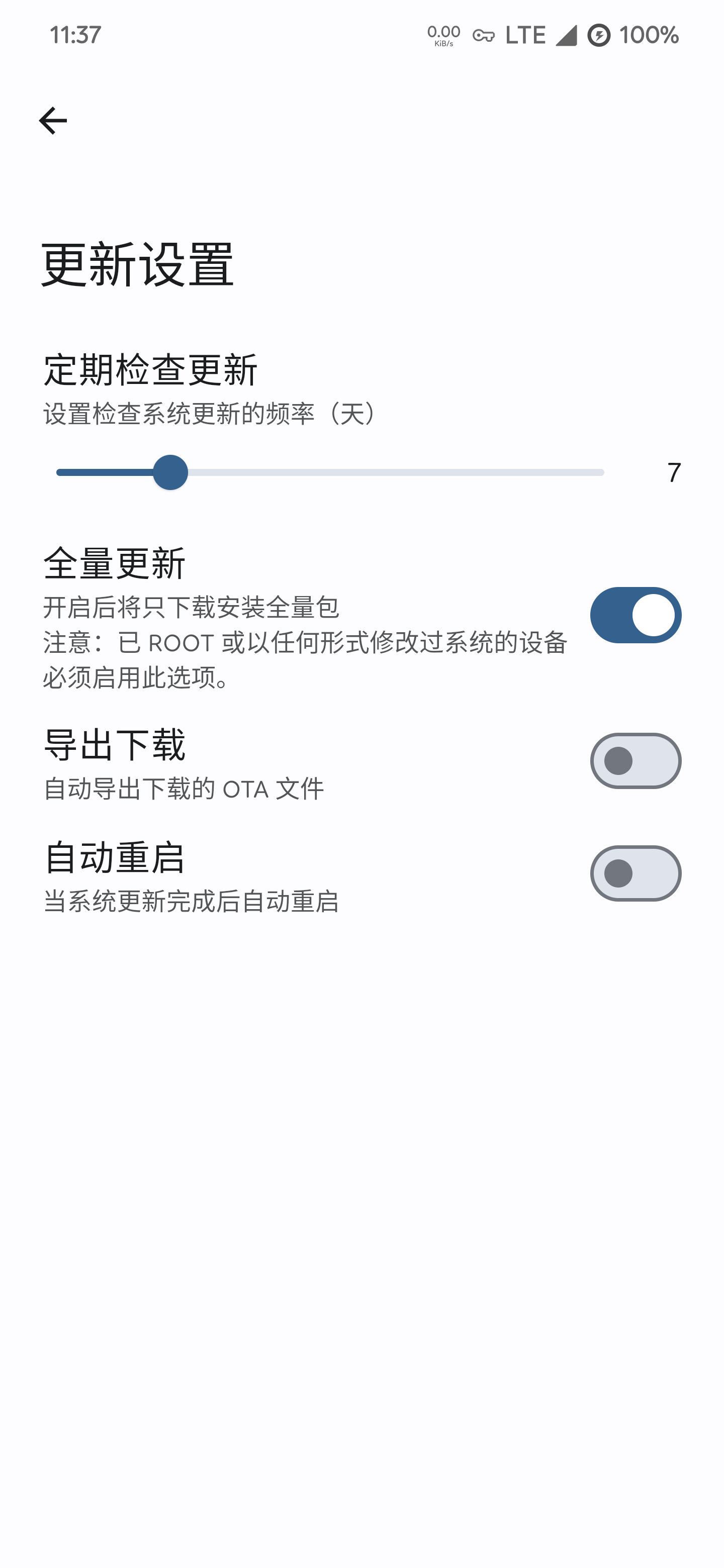
    <title>FlamingoOS 国内下载分流</title>
    <author>
      <name>旋律</name>
    </author>
    <content type="html">
      <![CDATA[<img src="/assets/old/637cea087f002.webp" alt="FlamingoOS 国内下载分流" /> <p>做了一个 FlamingoOS 国内下载分流</p> <a class="view-full" href="https://blog.ihtw.moe/posts/flamingo-cndl" target="_blank">点击查看全文</a>]]>
    </content>
    <link href="https://blog.ihtw.moe/posts/flamingo-cndl"></link>
    <summary>做了一个 FlamingoOS 国内下载分流</summary>
    <category term="安卓"></category>
    <published>2022-09-09T16:00:00Z</published>
  </entry>
  <entry>
    <id>https://blog.ihtw.moe/posts/flash-flamingo</id>
    <title>一加 7 系列 刷入 FlamingoOS 教程</title>
    <author>
      <name>旋律</name>
    </author>
    <content type="html">
      <![CDATA[<img src="/assets/old/637cea087f002.webp" alt="一加 7 系列 刷入 FlamingoOS 教程" /> <p>FlamingoOS,是一个小众、高颜值、优化完美的类原生系统，目前最新版本为 2.2(Android 13)，完全支持了一加 7(包括5G版) 系列。</p> <a class="view-full" href="https://blog.ihtw.moe/posts/flash-flamingo" target="_blank">点击查看全文</a>]]>
    </content>
    <link href="https://blog.ihtw.moe/posts/flash-flamingo"></link>
    <summary>FlamingoOS,是一个小众、高颜值、优化完美的类原生系统，目前最新版本为 2.2(Android 13)，完全支持了一加 7(包括5G版) 系列。</summary>
    <category term="安卓"></category>
    <published>2022-11-22T15:30:00Z</published>
  </entry>
  <entry>
    <id>https://blog.ihtw.moe/posts/OpenWRT-PORT-FORWARD</id>
    <title>解决OpenWrt旁路由公网无法访问内网端口</title>
    <author>
      <name>旋律</name>
    </author>
    <content type="html">
      <![CDATA[<img src="/assets/old/637fac22447a3.webp" alt="解决OpenWrt旁路由公网无法访问内网端口" /> <p>连接软路由上的虚拟机时发现网关为旁路由的机器全都无法公网端口连接</p> <a class="view-full" href="https://blog.ihtw.moe/posts/OpenWRT-PORT-FORWARD" target="_blank">点击查看全文</a>]]>
    </content>
    <link href="https://blog.ihtw.moe/posts/OpenWRT-PORT-FORWARD"></link>
    <summary>连接软路由上的虚拟机时发现网关为旁路由的机器全都无法公网端口连接</summary>
    <category term="瞎折腾"></category>
    <published>2022-11-24T17:40:00Z</published>
  </entry>
  <entry>
    <id>https://blog.ihtw.moe/posts/OpenWRT-RFC1918</id>
    <title>解决不同网段访问OpenWrt提示RFC1918</title>
    <author>
      <name>旋律</name>
    </author>
    <content type="html">
      <![CDATA[<img src="/assets/old/637fac22447a3.webp" alt="解决不同网段访问OpenWrt提示RFC1918" /> <p>今天使用 WireGuard 打洞回家访问 OpenWrt 旁路由的WEBUI时遇到了RFC1918</p> <a class="view-full" href="https://blog.ihtw.moe/posts/OpenWRT-RFC1918" target="_blank">点击查看全文</a>]]>
    </content>
    <link href="https://blog.ihtw.moe/posts/OpenWRT-RFC1918"></link>
    <summary>今天使用 WireGuard 打洞回家访问 OpenWrt 旁路由的WEBUI时遇到了RFC1918</summary>
    <category term="瞎折腾"></category>
    <published>2022-11-24T17:40:00Z</published>
  </entry>
  <entry>
    <id>https://blog.ihtw.moe/posts/r7-370-bios</id>
    <title>R7 370 刷 BIOS</title>
    <author>
      <name>旋律</name>
    </author>
    <content type="html">
      <![CDATA[<img src="/assets/old/6296c40018a09.webp" alt="R7 370 刷 BIOS" /> <p>这张 R7 370 是我学长给我的。他说这张卡有点小问题，HDMI 插口没有输出，只能通过 VGA 使用，可能是 HDMI 接口坏了。当时我也没有很在意，直到这几天。</p> <a class="view-full" href="https://blog.ihtw.moe/posts/r7-370-bios" target="_blank">点击查看全文</a>]]>
    </content>
    <link href="https://blog.ihtw.moe/posts/r7-370-bios"></link>
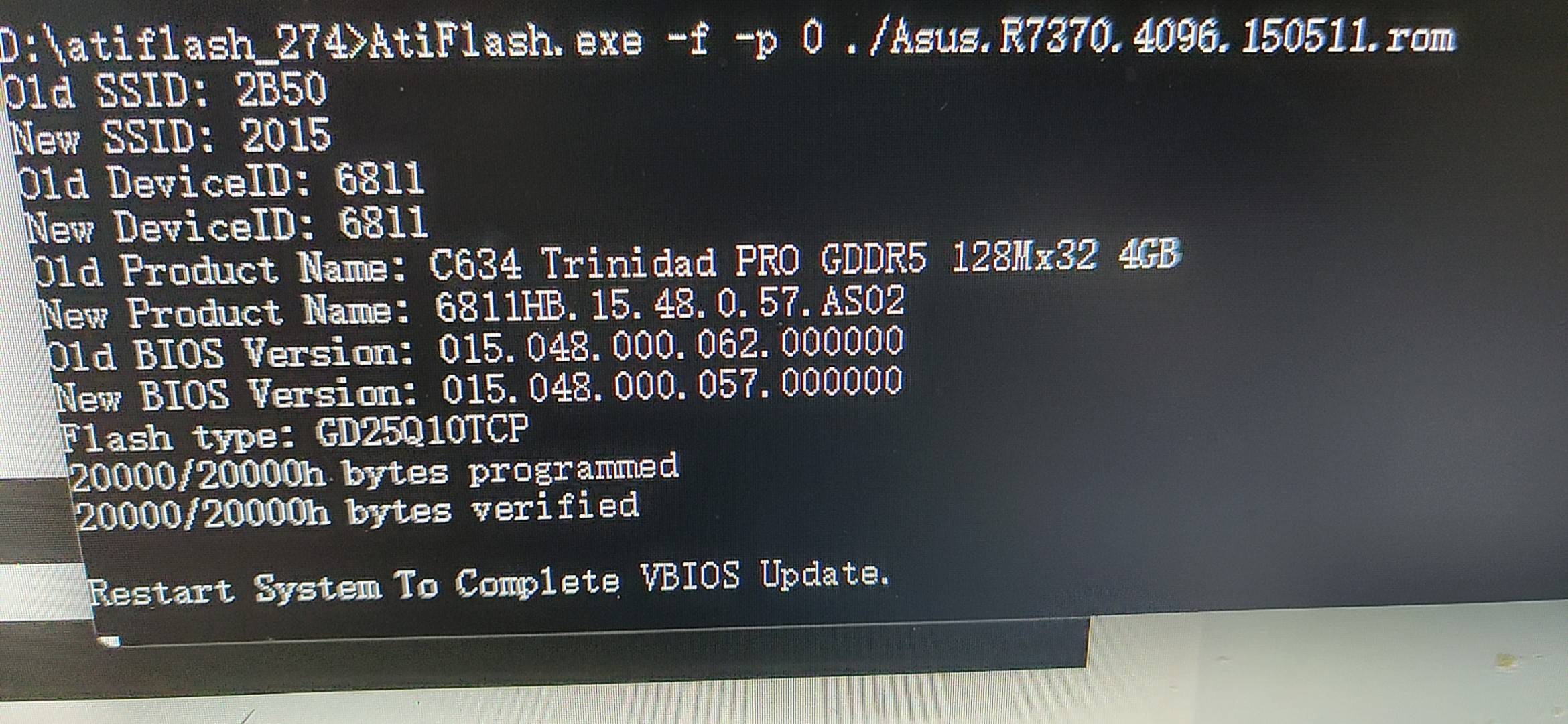
    <summary>这张 R7 370 是我学长给我的。他说这张卡有点小问题，HDMI 插口没有输出，只能通过 VGA 使用，可能是 HDMI 接口坏了。当时我也没有很在意，直到这几天。</summary>
    <category term="瞎折腾"></category>
    <published>2022-06-01T00:11:53Z</published>
  </entry>
  <entry>
    <id>https://blog.ihtw.moe/posts/r7-370-fan</id>
    <title>R7 370 硬改散热</title>
    <author>
      <name>旋律</name>
    </author>
    <content type="html">
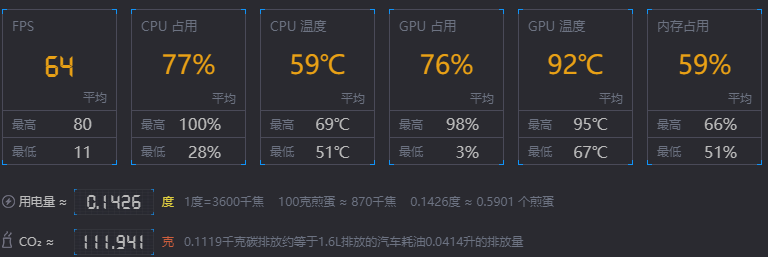
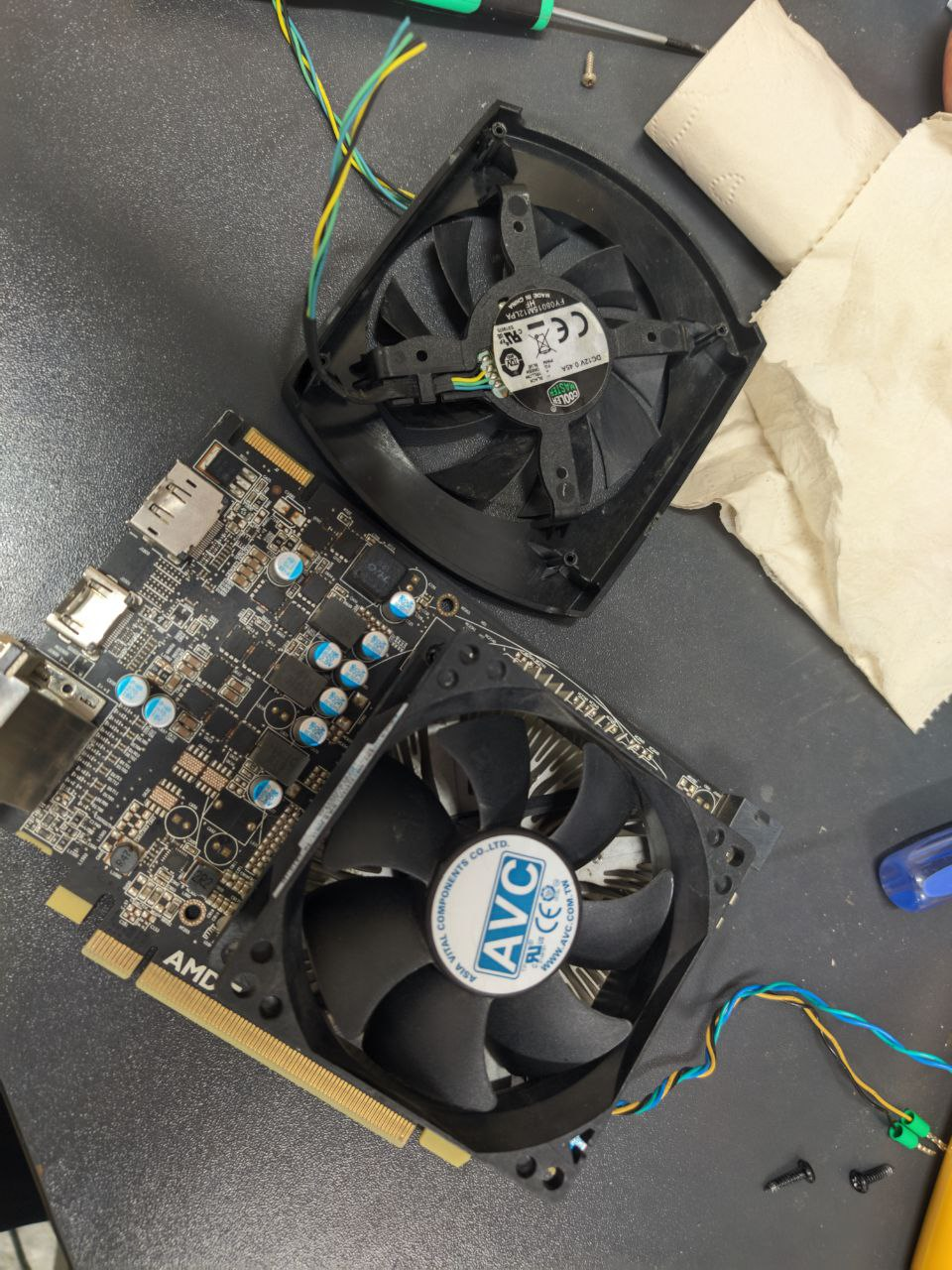
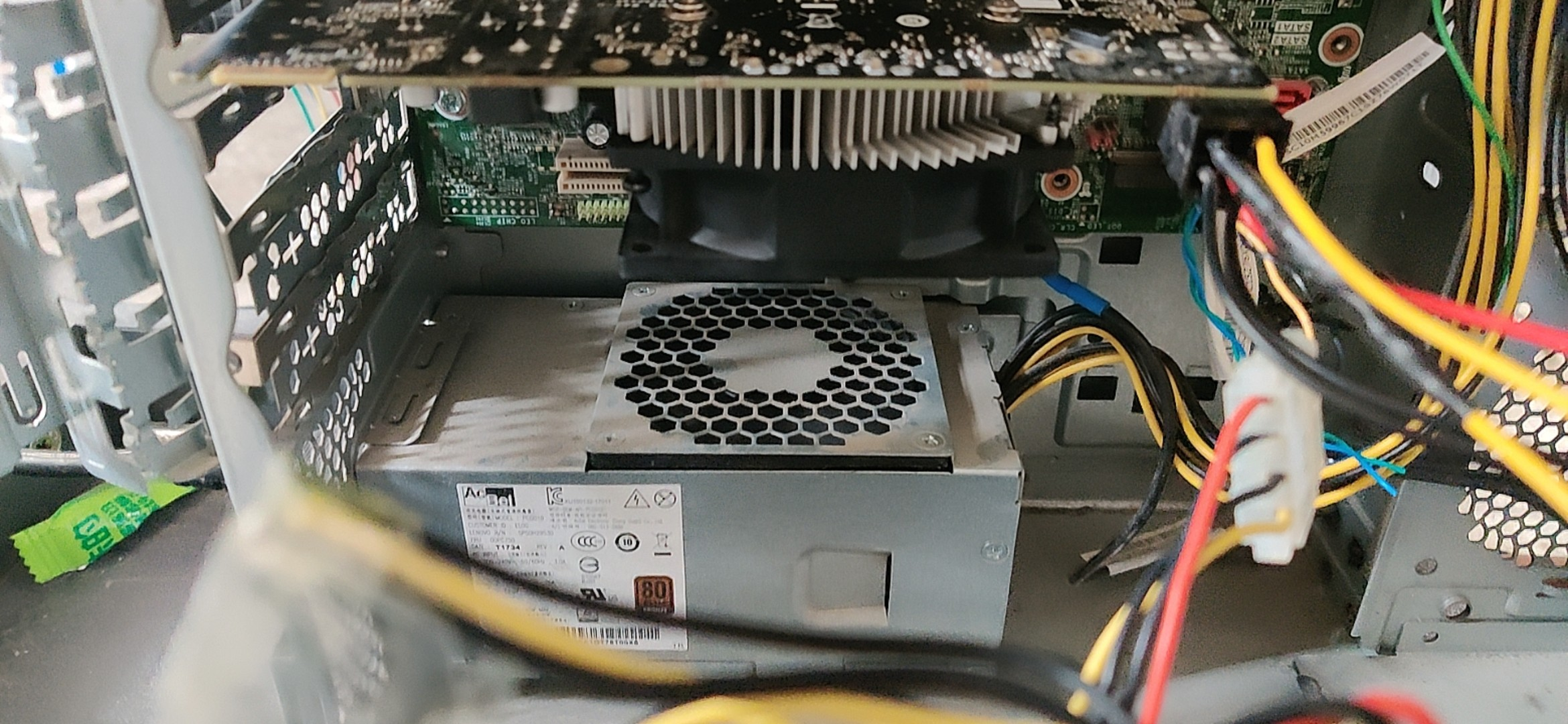
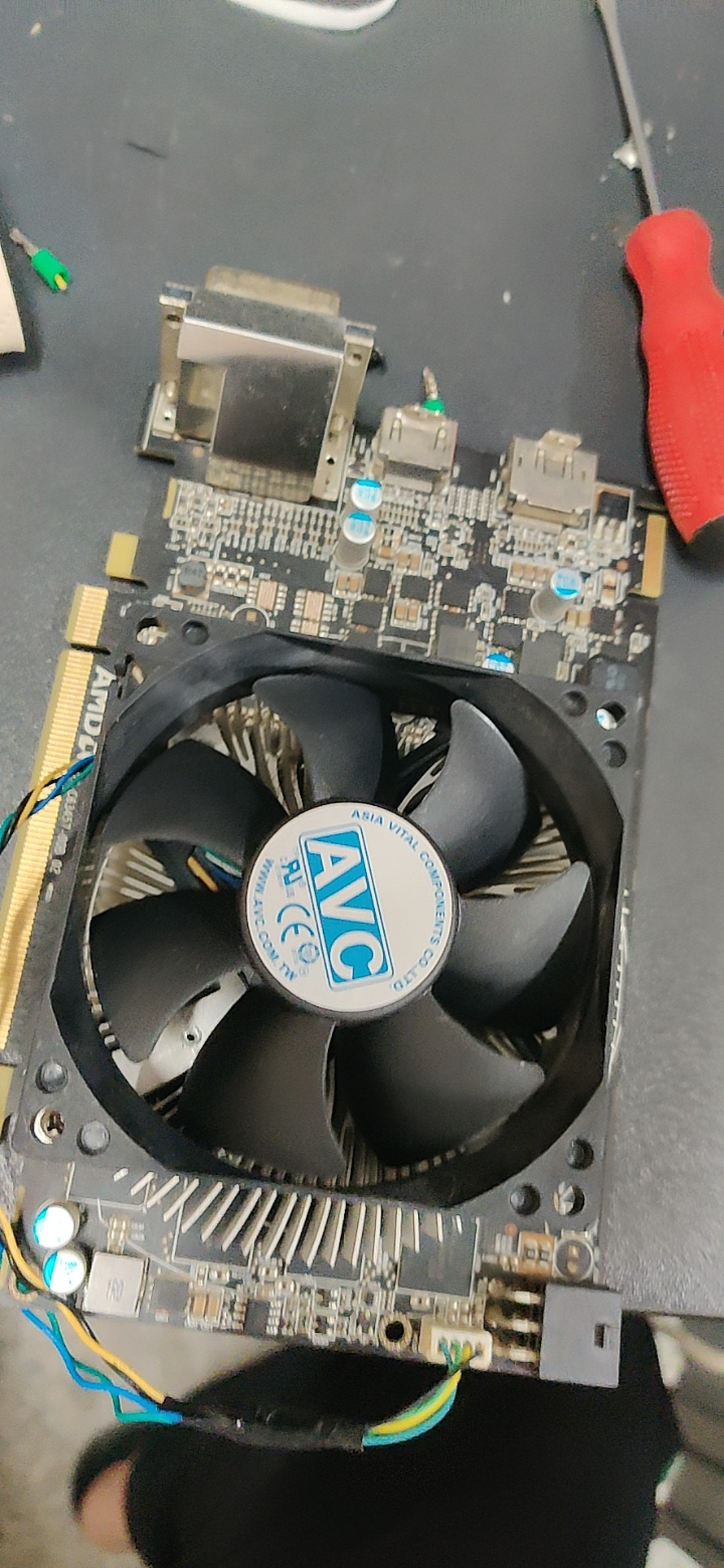
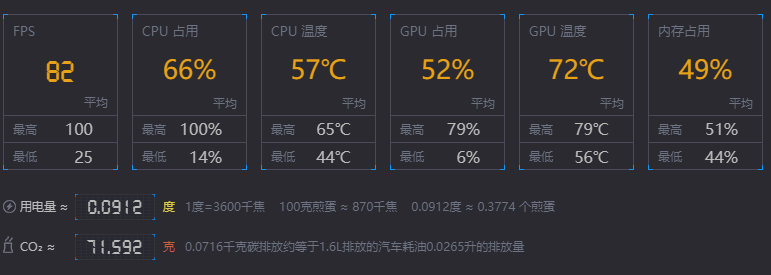
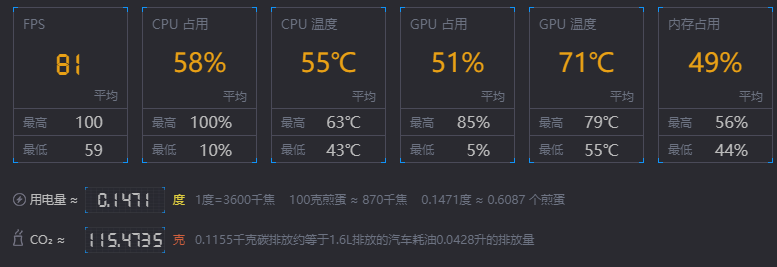
      <![CDATA[<img src="/assets/old/6295fb3ab4a51.webp" alt="R7 370 硬改散热" /> <p>这几天一直在实训室里摸鱼（主要是玩星际战甲和守望先锋）。每次开摆时，总是会时不时掉帧，所以我装了游戏加加这款软件来监视我在游戏时帧率变动情况。</p> <a class="view-full" href="https://blog.ihtw.moe/posts/r7-370-fan" target="_blank">点击查看全文</a>]]>
    </content>
    <link href="https://blog.ihtw.moe/posts/r7-370-fan"></link>
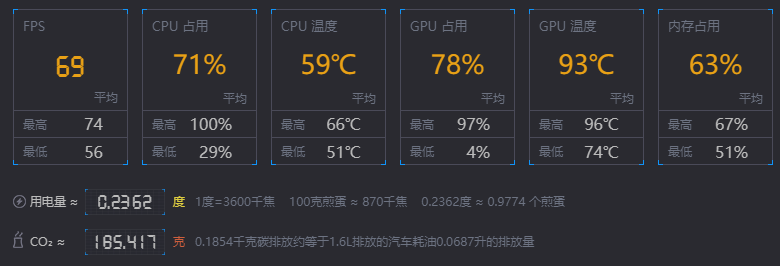
    <summary>这几天一直在实训室里摸鱼（主要是玩星际战甲和守望先锋）。每次开摆时，总是会时不时掉帧，所以我装了游戏加加这款软件来监视我在游戏时帧率变动情况。</summary>
    <category term="瞎折腾"></category>
    <published>2022-05-31T11:23:52Z</published>
  </entry>
  <entry>
    <id>https://blog.ihtw.moe/posts/OpenWRT-FIX-1</id>
    <title>解决OpenWrt重启丢配置</title>
    <author>
      <name>旋律</name>
    </author>
    <content type="html">
      <![CDATA[<img src="/assets/old/637fac22447a3.webp" alt="解决OpenWrt重启丢配置" /> <p>自编译的OpenWrt包每次重启都会丢失配置</p> <a class="view-full" href="https://blog.ihtw.moe/posts/OpenWRT-FIX-1" target="_blank">点击查看全文</a>]]>
    </content>
    <link href="https://blog.ihtw.moe/posts/OpenWRT-FIX-1"></link>
    <summary>自编译的OpenWrt包每次重启都会丢失配置</summary>
    <category term="瞎折腾"></category>
    <published>2023-07-10T00:20:00Z</published>
  </entry>
  <entry>
    <id>https://blog.ihtw.moe/posts/OPNsense-MODEM</id>
    <title>OPNsense访问光猫(猫棒)</title>
    <author>
      <name>旋律</name>
    </author>
    <content type="html">
      <![CDATA[<img src="/assets/OPNsense/opnsense-banner.webp" alt="OPNsense访问光猫(猫棒)" /> <p>在OPNsense中配置访问已桥接的光猫(猫棒)</p> <a class="view-full" href="https://blog.ihtw.moe/posts/OPNsense-MODEM" target="_blank">点击查看全文</a>]]>
    </content>
    <link href="https://blog.ihtw.moe/posts/OPNsense-MODEM"></link>
    <summary>在OPNsense中配置访问已桥接的光猫(猫棒)</summary>
    <category term="瞎折腾"></category>
    <published>2023-08-28T03:55:00Z</published>
  </entry>
  <entry>
    <id>https://blog.ihtw.moe/posts/OPNsense-PORT-FORWARD</id>
    <title>解决OPNsense内网无法访问转发到公网的端口</title>
    <author>
      <name>旋律</name>
    </author>
    <content type="html">
      <![CDATA[<img src="/assets/OPNsense/opnsense-banner.webp" alt="解决OPNsense内网无法访问转发到公网的端口" /> <p>解决OPNsense将服务端口转发到公网后内网无法通过已转发的端口访问的问题</p> <a class="view-full" href="https://blog.ihtw.moe/posts/OPNsense-PORT-FORWARD" target="_blank">点击查看全文</a>]]>
    </content>
    <link href="https://blog.ihtw.moe/posts/OPNsense-PORT-FORWARD"></link>
    <summary>解决OPNsense将服务端口转发到公网后内网无法通过已转发的端口访问的问题</summary>
    <category term="瞎折腾"></category>
    <published>2023-07-27T09:00:00Z</published>
  </entry>
  <entry>
    <id>https://blog.ihtw.moe/posts/OPNsense-UPNP</id>
    <title>为OPNsense开启UPNP</title>
    <author>
      <name>旋律</name>
    </author>
    <content type="html">
      <![CDATA[<img src="/assets/OPNsense/opnsense-banner.webp" alt="为OPNsense开启UPNP" /> <p>用了OPNsense之后，BT下不动？NAT类型严格？快开启UPNP！</p> <a class="view-full" href="https://blog.ihtw.moe/posts/OPNsense-UPNP" target="_blank">点击查看全文</a>]]>
    </content>
    <link href="https://blog.ihtw.moe/posts/OPNsense-UPNP"></link>
    <summary>用了OPNsense之后，BT下不动？NAT类型严格？快开启UPNP！</summary>
    <category term="瞎折腾"></category>
    <published>2023-07-27T11:23:00Z</published>
  </entry>
  <entry>
    <id>https://blog.ihtw.moe/posts/PVE-HDD-Passthrough</id>
    <title>PVE直通硬盘给虚拟机</title>
    <author>
      <name>旋律</name>
    </author>
    <content type="html">
      <![CDATA[<img src="/assets/PVE/show.webp" alt="PVE直通硬盘给虚拟机" /> <p>直通硬盘给 ProxmoxVE 虚拟机</p> <a class="view-full" href="https://blog.ihtw.moe/posts/PVE-HDD-Passthrough" target="_blank">点击查看全文</a>]]>
    </content>
    <link href="https://blog.ihtw.moe/posts/PVE-HDD-Passthrough"></link>
    <summary>直通硬盘给 ProxmoxVE 虚拟机</summary>
    <category term="瞎折腾"></category>
    <published>2023-09-01T10:16:20Z</published>
  </entry>
  <entry>
    <id>https://blog.ihtw.moe/posts/Steam-Pref</id>
    <title>Steam 显示被隐藏的偏好设置</title>
    <author>
      <name>旋律</name>
    </author>
    <content type="html">
      <![CDATA[<img src="/assets/steam/social-og.webp" alt="Steam 显示被隐藏的偏好设置" /> <p>Wallpaper Engine 少了很多壁纸？看看怎么解决吧！</p> <a class="view-full" href="https://blog.ihtw.moe/posts/Steam-Pref" target="_blank">点击查看全文</a>]]>
    </content>
    <link href="https://blog.ihtw.moe/posts/Steam-Pref"></link>
    <summary>Wallpaper Engine 少了很多壁纸？看看怎么解决吧！</summary>
    <category term="Windows"></category>
    <published>2023-08-31T00:53:15Z</published>
  </entry>
  <entry>
    <id>https://blog.ihtw.moe/posts/Windows-WinGet</id>
    <title>使用 WinGet 安装和管理软件</title>
    <author>
      <name>旋律</name>
    </author>
    <content type="html">
      <![CDATA[<img src="/assets/winget/233755.webp" alt="使用 WinGet 安装和管理软件" /> <p>使用 WinGet 安装和管理 Windows 软件</p> <a class="view-full" href="https://blog.ihtw.moe/posts/Windows-WinGet" target="_blank">点击查看全文</a>]]>
    </content>
    <link href="https://blog.ihtw.moe/posts/Windows-WinGet"></link>
    <summary>使用 WinGet 安装和管理 Windows 软件</summary>
    <category term="Windows"></category>
    <published>2023-08-30T03:38:15Z</published>
  </entry>
  <entry>
    <id>https://blog.ihtw.moe/posts/DwarFS</id>
    <title>使用 DwarFS 压缩文件</title>
    <author>
      <name>旋律</name>
    </author>
    <content type="html">
      <![CDATA[<img src="/assets/DwarFS/1.webp" alt="使用 DwarFS 压缩文件" /> <p>高速高压缩率只读文件系统，适用于 Linux、MacOS 和 Windows</p> <a class="view-full" href="https://blog.ihtw.moe/posts/DwarFS" target="_blank">点击查看全文</a>]]>
    </content>
    <link href="https://blog.ihtw.moe/posts/DwarFS"></link>
    <summary>高速高压缩率只读文件系统，适用于 Linux、MacOS 和 Windows</summary>
    <category term="Windows"></category>
    <published>2024-04-17T08:23:56Z</published>
  </entry>
  <entry>
    <id>https://blog.ihtw.moe/posts/Enable-Kaspersky-HW-Virtualization</id>
    <title>开启卡巴斯基硬件虚拟化保护</title>
    <author>
      <name>旋律</name>
    </author>
    <content type="html">
      <![CDATA[<img src="/assets/kaspersky/banner.webp" alt="开启卡巴斯基硬件虚拟化保护" /> <p>卡巴斯基的硬件虚拟化保护打不开？看看这篇文章吧！</p> <a class="view-full" href="https://blog.ihtw.moe/posts/Enable-Kaspersky-HW-Virtualization" target="_blank">点击查看全文</a>]]>
    </content>
    <link href="https://blog.ihtw.moe/posts/Enable-Kaspersky-HW-Virtualization"></link>
    <summary>卡巴斯基的硬件虚拟化保护打不开？看看这篇文章吧！</summary>
    <category term="Windows"></category>
    <published>2024-03-28T04:18:40Z</published>
  </entry>
  <entry>
    <id>https://blog.ihtw.moe/posts/Git-Upstream</id>
    <title>Git 上游仓库更新后保持自己的更改为最新</title>
    <author>
      <name>旋律</name>
    </author>
    <content type="html">
      <![CDATA[<img src="https://images.unsplash.com/photo-1556075798-4825dfaaf498" alt="Git 上游仓库更新后保持自己的更改为最新" /> <p>Powered By ChatGPT</p> <a class="view-full" href="https://blog.ihtw.moe/posts/Git-Upstream" target="_blank">点击查看全文</a>]]>
    </content>
    <link href="https://blog.ihtw.moe/posts/Git-Upstream"></link>
    <summary>Powered By ChatGPT</summary>
    <category term="开发"></category>
    <published>2024-05-19T01:20:50Z</published>
  </entry>
  <entry>
    <id>https://blog.ihtw.moe/posts/OpenWrt-Enchanced-Kernel</id>
    <title>基于 Linux 6.12 的 OpenWrt 24.10 固件</title>
    <author>
      <name>旋律</name>
    </author>
    <content type="html">
      <![CDATA[<img src="/assets/old/637fac22447a3.webp" alt="基于 Linux 6.12 的 OpenWrt 24.10 固件" /> <p>经过优化的系统内核、极少的内置插件、支持更多插件和 kmod 的在线安装与升级</p> <a class="view-full" href="https://blog.ihtw.moe/posts/OpenWrt-Enchanced-Kernel" target="_blank">点击查看全文</a>]]>
    </content>
    <link href="https://blog.ihtw.moe/posts/OpenWrt-Enchanced-Kernel"></link>
    <summary>经过优化的系统内核、极少的内置插件、支持更多插件和 kmod 的在线安装与升级</summary>
    <category term="瞎折腾"></category>
    <published>2024-09-25T11:30:00Z</published>
  </entry>
  <entry>
    <id>https://blog.ihtw.moe/posts/Poetry-Setup</id>
    <title>安装并配置 poetry</title>
    <author>
      <name>旋律</name>
    </author>
    <content type="html">
      <![CDATA[<img src="https://images.unsplash.com/photo-1515879218367-8466d910aaa4" alt="安装并配置 poetry" /> <p>在 Windows 上安装并配置 poetry</p> <a class="view-full" href="https://blog.ihtw.moe/posts/Poetry-Setup" target="_blank">点击查看全文</a>]]>
    </content>
    <link href="https://blog.ihtw.moe/posts/Poetry-Setup"></link>
    <summary>在 Windows 上安装并配置 poetry</summary>
    <category term="开发"></category>
    <published>2024-03-28T11:50:40Z</published>
  </entry>
  <entry>
    <id>https://blog.ihtw.moe/posts/PVE-mount-NFS</id>
    <title>PVE 挂载群晖 NFS 共享</title>
    <author>
      <name>旋律</name>
    </author>
    <content type="html">
      <![CDATA[<img src="/assets/PVE-mount-NFS/nfs22.webp" alt="PVE 挂载群晖 NFS 共享" /> <p>年少不知群晖好，错把飞牛当成宝</p> <a class="view-full" href="https://blog.ihtw.moe/posts/PVE-mount-NFS" target="_blank">点击查看全文</a>]]>
    </content>
    <link href="https://blog.ihtw.moe/posts/PVE-mount-NFS"></link>
    <summary>年少不知群晖好，错把飞牛当成宝</summary>
    <category term="瞎折腾"></category>
    <published>2024-12-19T06:30:00Z</published>
  </entry>
  <entry>
    <id>https://blog.ihtw.moe/posts/PVE-SHOW-MORE</id>
    <title>让PVE显示更多系统状态</title>
    <author>
      <name>旋律</name>
    </author>
    <content type="html">
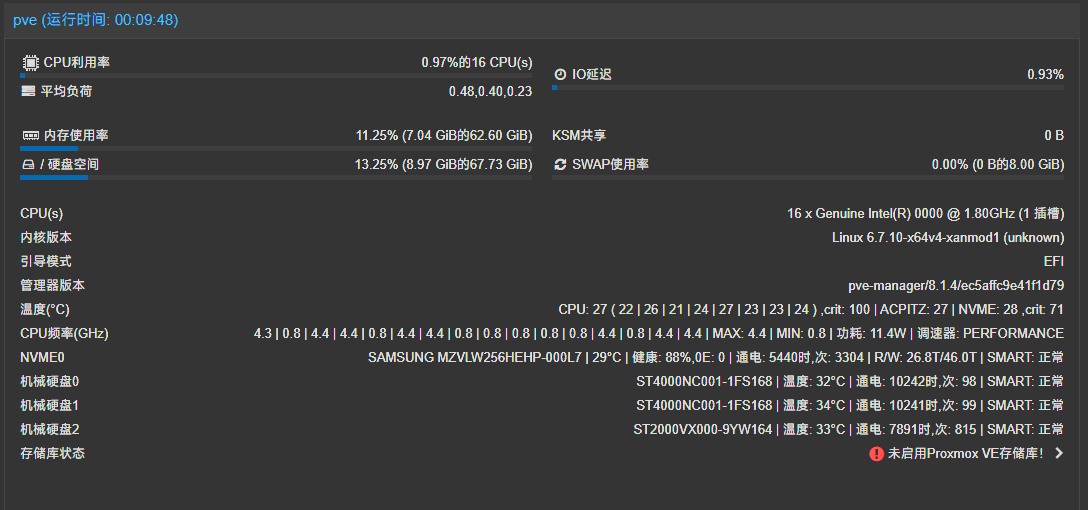
      <![CDATA[<img src="/assets/PVE/show.webp" alt="让PVE显示更多系统状态" /> <p>让 ProxmoxVE 在概要界面显示更多系统状态</p> <a class="view-full" href="https://blog.ihtw.moe/posts/PVE-SHOW-MORE" target="_blank">点击查看全文</a>]]>
    </content>
    <link href="https://blog.ihtw.moe/posts/PVE-SHOW-MORE"></link>
    <summary>让 ProxmoxVE 在概要界面显示更多系统状态</summary>
    <category term="瞎折腾"></category>
    <published>2024-03-18T13:39:30Z</published>
  </entry>
  <entry>
    <id>https://blog.ihtw.moe/posts/WinFontBeautify</id>
    <title>Windows 字体美化</title>
    <author>
      <name>旋律</name>
    </author>
    <content type="html">
      <![CDATA[<img src="/assets/WinFontBeautify/overview.webp" alt="Windows 字体美化" /> <p>使用 MacType 美化 Windows 字体吧！</p> <a class="view-full" href="https://blog.ihtw.moe/posts/WinFontBeautify" target="_blank">点击查看全文</a>]]>
    </content>
    <link href="https://blog.ihtw.moe/posts/WinFontBeautify"></link>
    <summary>使用 MacType 美化 Windows 字体吧！</summary>
    <category term="Windows"></category>
    <published>2024-03-13T10:12:20Z</published>
  </entry>
  <entry>
    <id>https://blog.ihtw.moe/posts/WinTerminalBeautify</id>
    <title>Windows Terminal 美化</title>
    <author>
      <name>旋律</name>
    </author>
    <content type="html">
      <![CDATA[<img src="/assets/WinTerminalBeautify/overview.webp" alt="Windows Terminal 美化" /> <p>使用 oh-my-posh 美化 Windows Terminal 吧！</p> <a class="view-full" href="https://blog.ihtw.moe/posts/WinTerminalBeautify" target="_blank">点击查看全文</a>]]>
    </content>
    <link href="https://blog.ihtw.moe/posts/WinTerminalBeautify"></link>
    <summary>使用 oh-my-posh 美化 Windows Terminal 吧！</summary>
    <category term="Windows"></category>
    <published>2024-03-13T10:12:20Z</published>
  </entry>
  <entry>
    <id>https://blog.ihtw.moe/posts/Enchanced-LEDE-M28K</id>
    <title>基于 LEDE 优化的 M28K 固件</title>
    <author>
      <name>旋律</name>
    </author>
    <content type="html">
      <![CDATA[<img src="/assets/old/637fac22447a3.webp" alt="基于 LEDE 优化的 M28K 固件" /> <p>使用 GCC-15,MOLD,LTO 编译的 MangoPi-M28K 固件</p> <a class="view-full" href="https://blog.ihtw.moe/posts/Enchanced-LEDE-M28K" target="_blank">点击查看全文</a>]]>
    </content>
    <link href="https://blog.ihtw.moe/posts/Enchanced-LEDE-M28K"></link>
    <summary>使用 GCC-15,MOLD,LTO 编译的 MangoPi-M28K 固件</summary>
    <category term="瞎折腾"></category>
    <published>2025-04-14T02:45:00Z</published>
  </entry>
  <entry>
    <id>https://blog.ihtw.moe/posts/flash-yaap</id>
    <title>一加 7 系列 刷入 YAAP 教程</title>
    <author>
      <name>旋律</name>
    </author>
    <content type="html">
      <![CDATA[<img src="/assets/flash-yaap/guacamole.webp" alt="一加 7 系列 刷入 YAAP 教程" /> <p>YAAP,是一个小众、高颜值、优化完美的类原生系统，目前最新版本为 Tripoli(Android 13)，完全支持了一加 7(包括5G版) 系列。</p> <a class="view-full" href="https://blog.ihtw.moe/posts/flash-yaap" target="_blank">点击查看全文</a>]]>
    </content>
    <link href="https://blog.ihtw.moe/posts/flash-yaap"></link>
    <summary>YAAP,是一个小众、高颜值、优化完美的类原生系统，目前最新版本为 Tripoli(Android 13)，完全支持了一加 7(包括5G版) 系列。</summary>
    <category term="安卓"></category>
    <published>2025-04-15T09:30:00Z</published>
  </entry>
</feed>